
While it builds
A build can take a minute or twenty. Here is what you can do while it runs, and what the things you see mean.
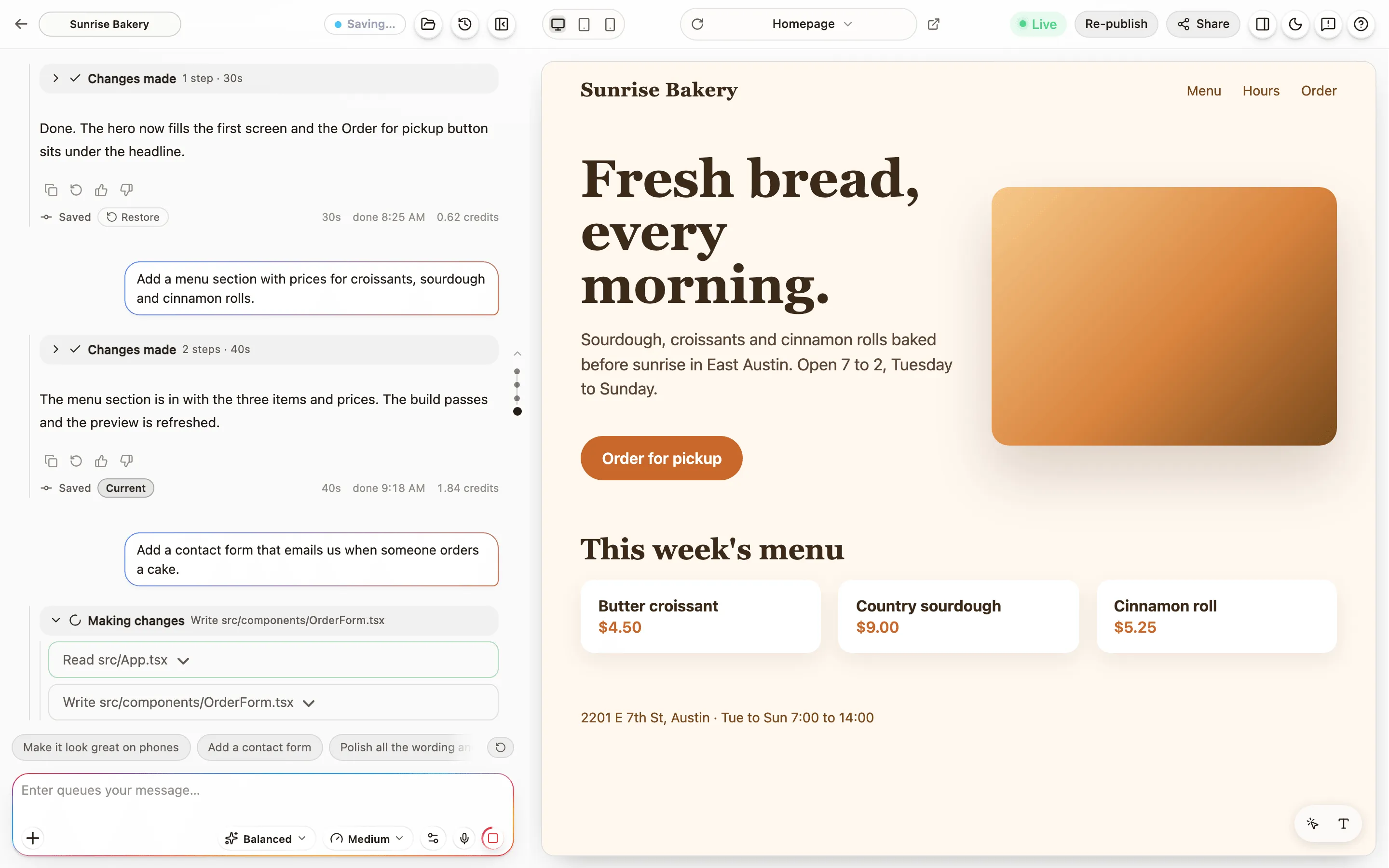
The Building card
Section titled “The Building card”The card at the bottom of the chat shows the build’s progress: how long it has run, what Anela AI is doing right now, and “Thinking for” with a count when the model is working out its next move. Quiet stretches of a minute or two are normal. If the count runs far past that, Anela AI stopped or went quiet says what to do.
Press Stop to end the build. Anela AI finishes the step it is on and hands back. Everything it already changed is kept, and that work is charged. The button shows “Stopping” for a moment; it does not need pressing twice.
Send now, or Send after
Section titled “Send now, or Send after”While a build runs, the send button offers two choices:
- Send now delivers your message into the running build. Anela AI reads it at its next step, which is as soon as its current thought ends. Use it for a correction: “the button should be green, not red”.
- Send after (the button says “Queue for after this build”) puts your message in a queue. It runs when this build ends. Queued messages are listed under the composer and cost nothing until they run.
When Anela AI asks you something
Section titled “When Anela AI asks you something”Sometimes Anela AI needs a decision and shows a question card with a few options. The build waits for your answer. If you leave, the project may go to sleep while it waits; clicking an answer later wakes it and continues.
A permission card asks before certain actions. You can allow once, allow always, or refuse.
When the build continues on its own
Section titled “When the build continues on its own”- Continuing your build. Anela can recover an interrupted build or help Anela AI finish its plan. You see the work continue in the same build. The final receipt includes charged work, and an error appears if recovery cannot finish it.
- Automatic fixes. When Anela finds an error in your running site, it can ask Anela AI to fix it automatically. Each repair is charged like any build, and Anela starts at most one after each message you send, so it never repeats on its own. The internal instructions stay out of chat.
Notifications
Section titled “Notifications”The first time a build takes a while, the chat offers browser notifications. Allow them and you can switch tabs; you are told when the build finishes.
When you leave
Section titled “When you leave”A project goes to sleep less than a minute after you stop interacting with it. Nothing is lost. The preview stays visible from the last built copy, and the project wakes when you send the next message, usually within a moment.
Verified against the product on 2026-09-15.