
Your first site in ten minutes
Ten minutes is enough for a first version of a real site. Here is the whole path, from the first sentence to a public address.
1. Describe the site
Section titled “1. Describe the site”On the dashboard, type what you want in the box at the top. Say what the site is for, who it is for, and anything you already know you want on it. One or two sentences is plenty:
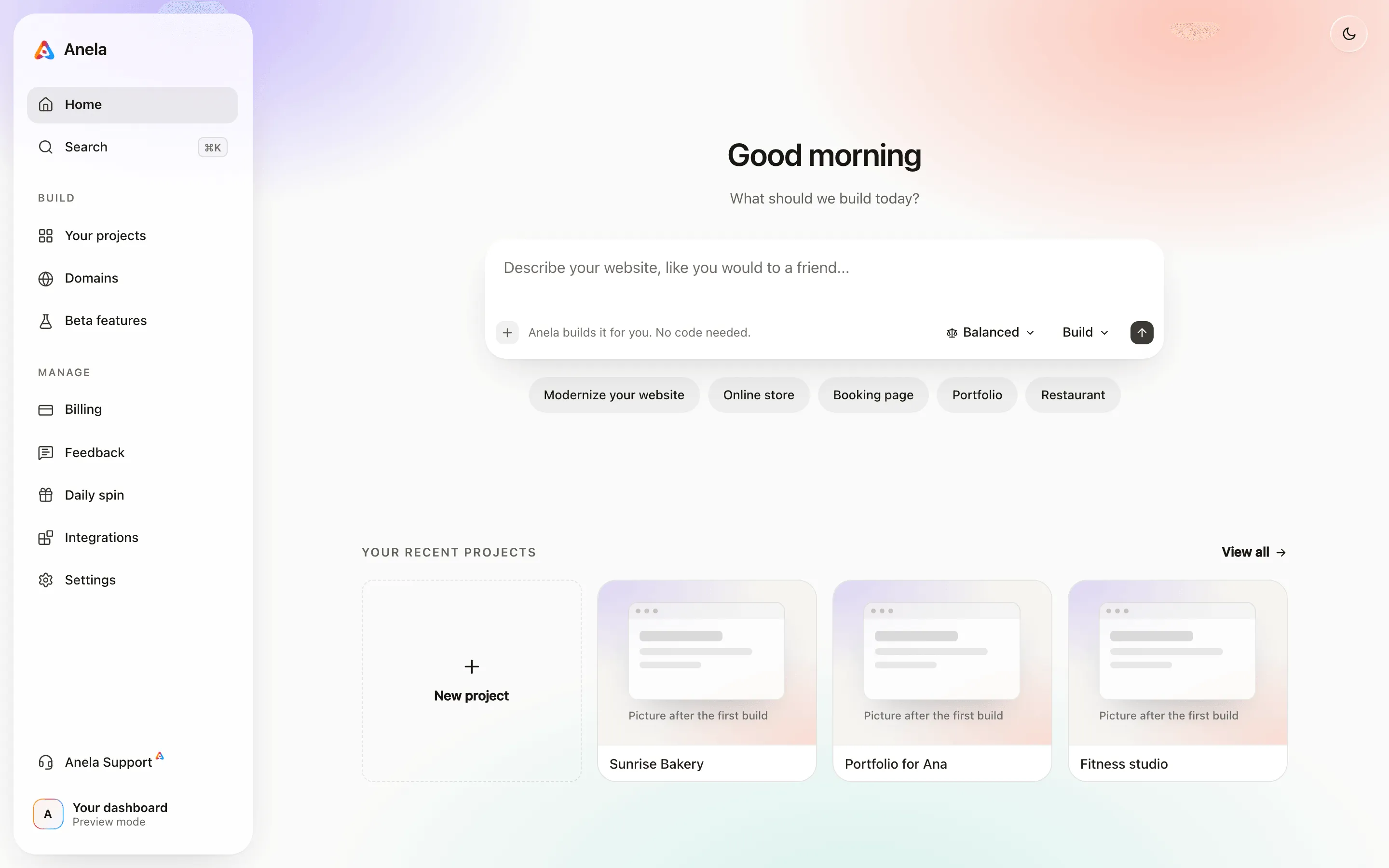
A one-page site for my bakery in Austin, with the opening hours, three photos, a short story about us and a button to order on WhatsApp.
Attach a logo, a photo or a screenshot of something you like with the plus button. Then press Enter. A project is created and you land in the editor.
No account yet? The first build works without one. The first time you publish, share, attach a file or start another project, Anela asks you to create a free account or log in, and the project you started comes with you. Your account.
2. Watch the first version appear
Section titled “2. Watch the first version appear”The chat is on the left and the preview is on the right. The Building card shows what Anela AI is doing and how long it has been at it. Quiet stretches of a minute are normal while the model thinks. When it finishes, the preview shows your site.
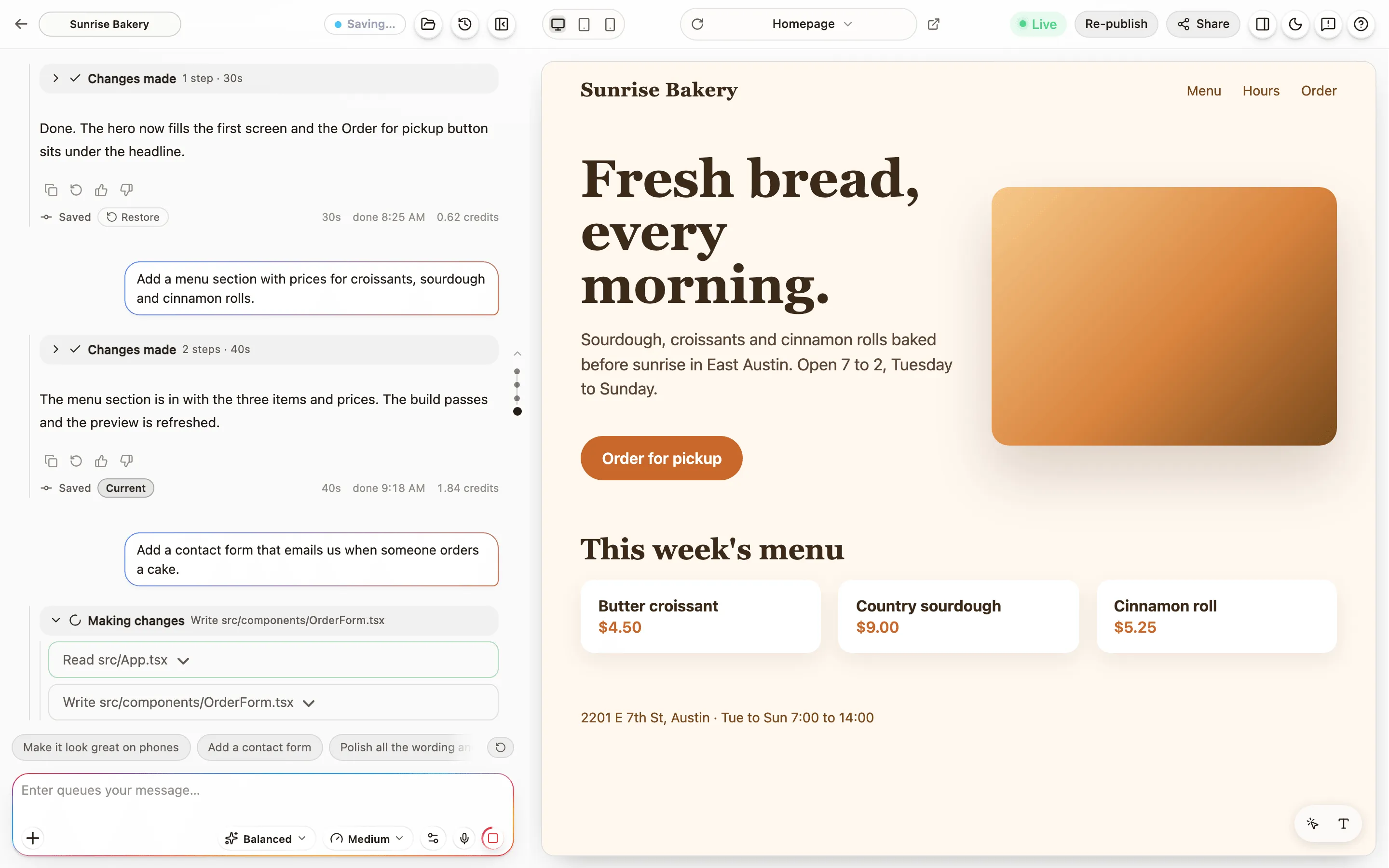
A first version usually takes a few minutes. Bigger requests take longer.
3. Ask for changes, one at a time
Section titled “3. Ask for changes, one at a time”Type the next change in the chat. Be specific and describe what you see:
Make the opening hours bigger, and put the WhatsApp button at the top as well.
One change per message gives the best results. If Anela AI misunderstands, say what is wrong and what you wanted instead. Ask for what you want has more on this.
4. Check it on a phone
Section titled “4. Check it on a phone”Use the device buttons in the header to see the site at phone, tablet and desktop widths. Most visitors will be on a phone. The preview explains the other controls.
5. Publish
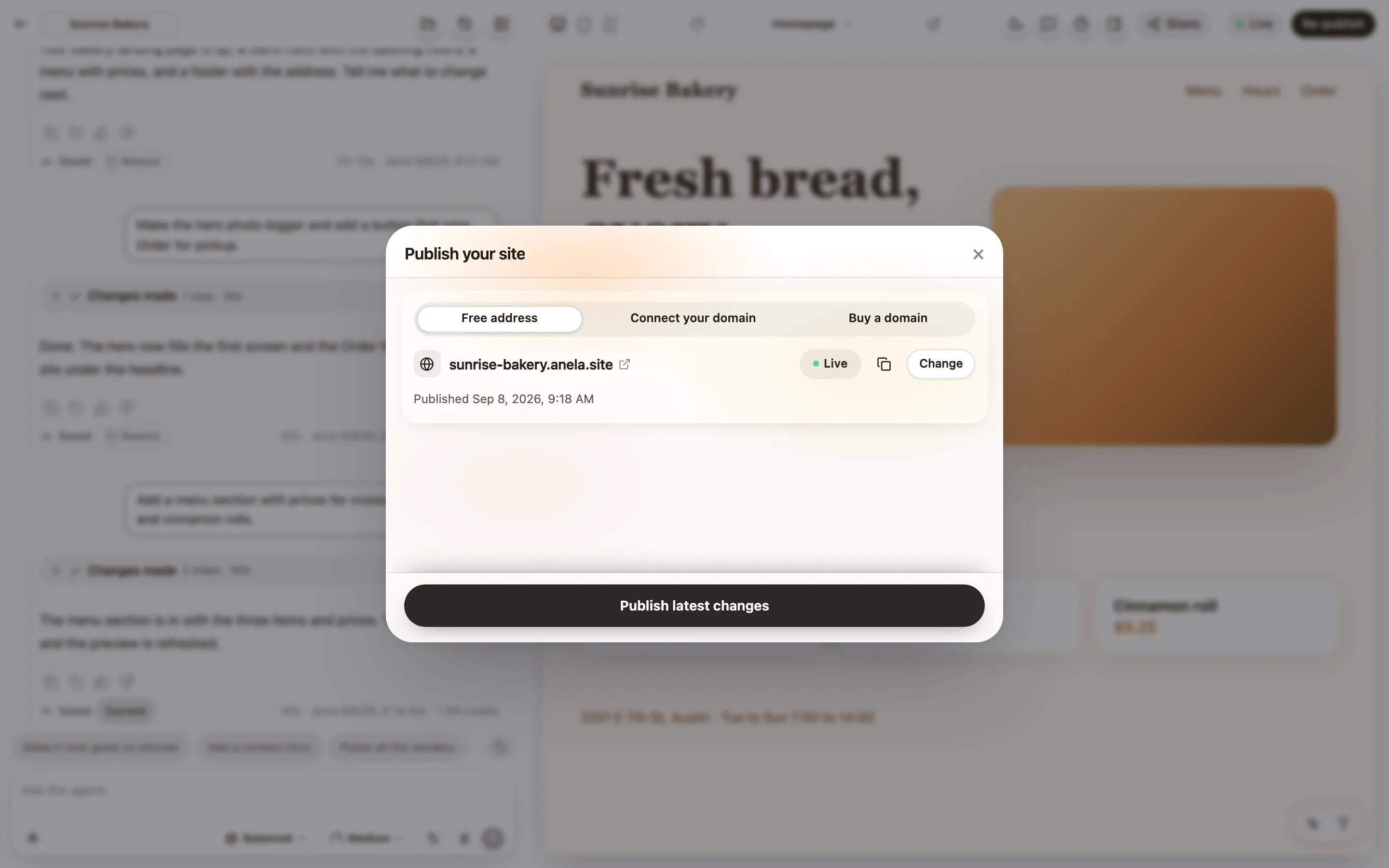
Section titled “5. Publish”Press Publish in the header. On the Free address tab, keep the address Anela suggests or edit the part before anela.site, then press the publish button at the bottom. A minute later your site is live, with a link you can share. Publish your site covers the details, and Connect a domain you own is the next step when you want your own name on it, whether you already have one or buy it through Anela.
What it costs
Section titled “What it costs”Every message that builds something spends credits, depending on how much work the model did. When a build finishes, its cost shows under Anela AI’s reply in the chat. Billing on the dashboard shows your balance for the month. How credits work.
If something goes wrong
Section titled “If something goes wrong”Every build saves a version. Open Checkpoints (the clock button) in the header to go back to any earlier one. Checkpoints and restore.
Verified against the product on 2026-09-24.