
Download your code
Your code is yours. You can download the whole project at any time and run it anywhere. There is no lock-in.
Download it
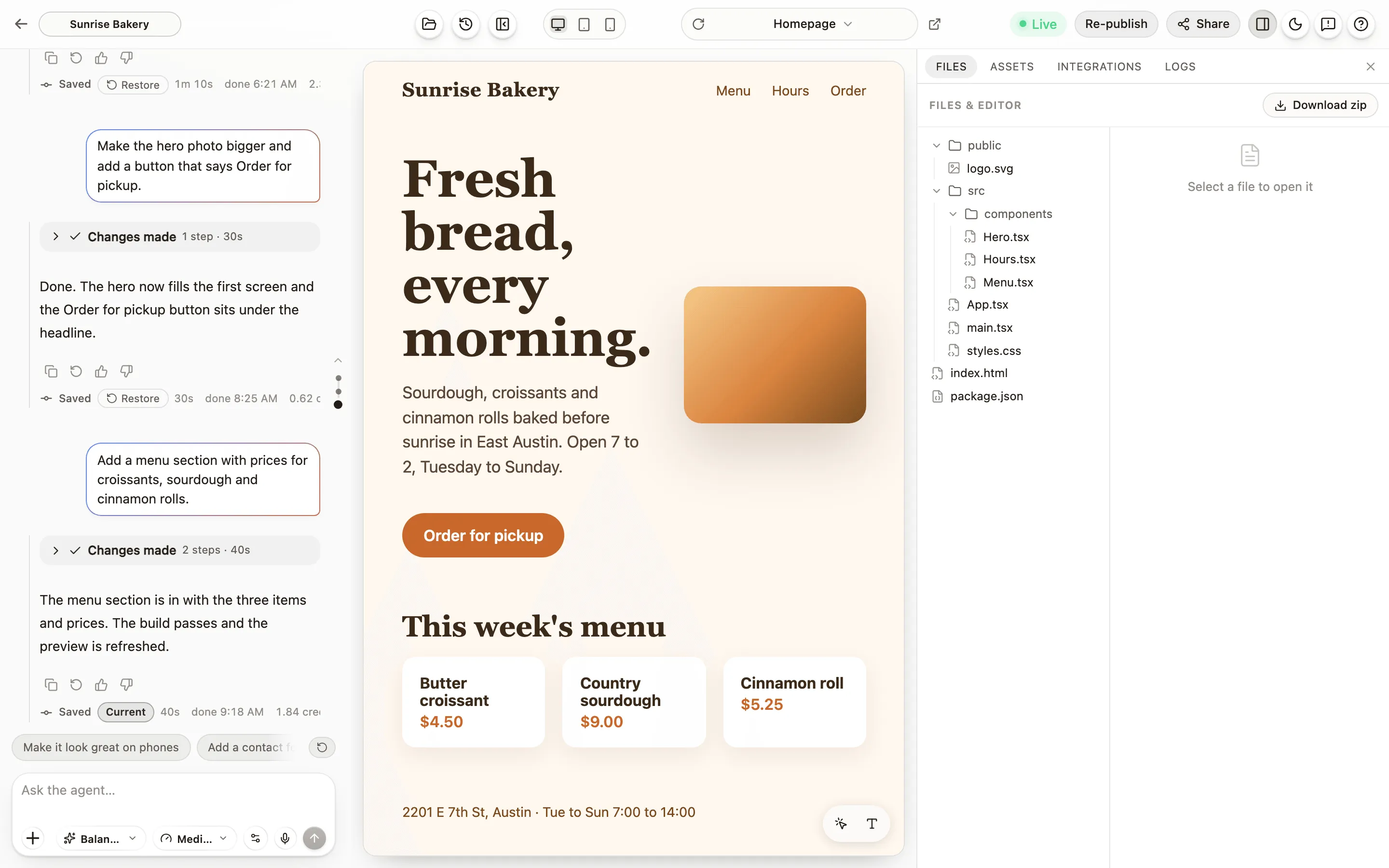
Section titled “Download it”Press Files in the editor’s header, stay on the Files tab and press Download zip. If the project was asleep it wakes for this, which takes a few seconds longer.
What is in the zip
Section titled “What is in the zip”- Your source code: every page, component, style and image.
- A README (
README-EXPORT.md) with the commands to run the site on your own computer, and a list of what was left out. - A manifest (
anela-export.json) describing the project: the framework, the pages, the names of the settings your site reads, and the services it connects to. - The structure of your database (
db/schema.sql), when the project has one: the tables and columns, not the rows, and no connection details.
What is not in the zip
Section titled “What is not in the zip”- The installed packages (
node_modules). They are rebuilt with one command. - The version history from the editor.
- Build output.
- Anela’s own working folders.
- Your database’s data, which stays in Anela.
- Your keys. Keys saved in Secrets stay in Anela; the README lists the names of the settings your site reads, so you know what to set up elsewhere.
Keep the zip private anyway
Section titled “Keep the zip private anyway”Keys you saved in Secrets never go in the zip. The project’s settings file, .env, is included when the project has one, and Anela only puts public settings there, such as the addresses your site uses for sign-in and data. A key typed straight into a file by mistake would still travel with the zip, though. So:
- Treat the zip as private. Do not upload it to a public place or send it around.
- Delete it when you are done with it.
- If you think a key has been seen by someone who should not have seen it, replace the key at the service that issued it.
Run it somewhere else
Section titled “Run it somewhere else”- Install Node.js and pnpm on your computer.
- Unzip the project, open a terminal in the folder, and run
pnpm install. - Run
pnpm devto see the site locally, orpnpm buildto produce adistfolder of plain files that any web host can serve.
Anything in the settings file whose name starts with VITE_ is built into the pages visitors download, so it is public by design. Keep real secrets out of those.
Other ways out
Section titled “Other ways out”Sync with GitHub keeps a copy of your code in your own repository, updated after every build.
Verified against the product on 2026-09-07.