
Connect a domain you own
Your site can live at a domain you already own, such as example.com. You add three records where you manage the domain, and Anela does the rest, including the certificates that make both example.com and www.example.com secure.
Before you start
Section titled “Before you start”- Publish the site at least once. Domains connect to a published site.
- Have the login for the company where you manage your domain’s DNS. That is usually where you bought it.
- Connecting your own domain is available on paid plans. On the Free plan the tab offers the upgrade instead.
Connect it
Section titled “Connect it”-
Press Publish in the editor header and choose the Connect your domain tab. Connect a domain you own on the Domains page opens the same steps.
-
Type your domain:
example.com, orwww.example.comif you only want that. Connecting the plain domain sets upwwwas well, and visitors who type either one reach your site. -
Anela shows the records to add. For a plain domain there are three:
- an A record for
@, pointing at the address shown; - a CNAME record for
www, pointing at the value shown; - a TXT record named
_anela, which proves the domain is yours.
For
www.example.comalone, or a name likeshop.example.com, there are two: the CNAME for that name and the TXT proof. - an A record for
-
At your DNS provider, add each record exactly as shown. Copy and paste the values; a stray space is the most common mistake. If
@orwwwalready have other website records (A, AAAA or CNAME), replace them with these. Leave email records alone. Keep the@record as a plain record, with no proxy or CDN switched on for it. Your provider may offer an ALIAS or ANAME record for@; you do not need one, and it does not work in place of the A record. -
Back in Anela, press Check my DNS.
What the statuses mean
Section titled “What the statuses mean”- Not seen yet. The records have not reached us. Check them, then wait a little and press Check my DNS again.
- Could not check. We could not look the record up just now. Press Check my DNS again in a moment.
- Waiting for your records. Some records are seen, some not yet. DNS changes can take a few minutes to spread, sometimes hours.
- Securing (SSL). The records are in place and the certificates are being issued. This finishes on its own.
- Live. Confirmed. Your domain serves your site, with a secure address.
www can go live a few minutes before the plain name; both end up live. Once live, republishing works the same as before, the domain always shows the latest publish, and Check my DNS keeps answering if you ever want to confirm the records.
The one extra record some domains need
Section titled “The one extra record some domains need”If your domain has a CAA record that lists which companies may issue its certificates, it must include letsencrypt.org, or the certificates cannot be issued and the status stays at “Securing (SSL)”. Anela tells you when this is the case. Add the record CAA 0 issue "letsencrypt.org" at your DNS provider.
If another site claimed the same domain
Section titled “If another site claimed the same domain”If somebody started connecting your domain to another site and never finished proving it, Anela shows you the same records and asks you to add them and press Connect again. The domain becomes yours as soon as the records show up. A domain that was fully proven by another site cannot be taken this way; disconnect it there first.
Or buy one
Section titled “Or buy one”If you do not have a domain yet, the Buy a domain tab next to Connect your domain sells one: type a name, pick one from the results, see its yearly price, fill in the details the registry requires, and press Pay and connect. Nothing is charged until you pay, the domain renews yearly, and the records and the certificates are set up for you, so there is nothing to add anywhere. The Buy a domain button on the Domains page does the same.
Managing your domains
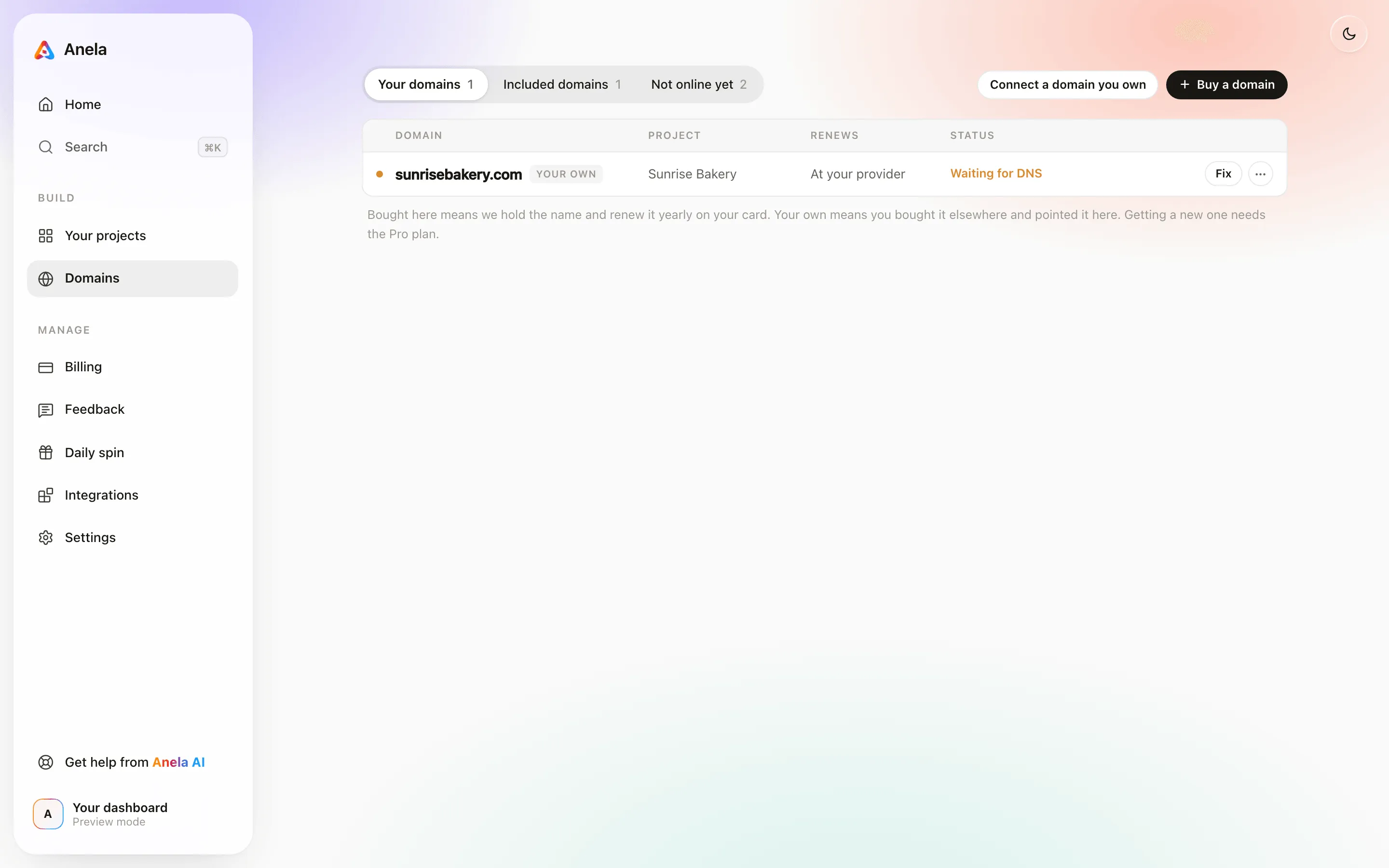
Section titled “Managing your domains”Domains on the dashboard opens on Your domains, the ones you bought here or connected, across all your projects, with the project each one serves, when it renews and its status. Included domains lists the anela.site address each published project gets, and Not online yet the projects without a published address. From there you can connect another domain, buy one, open the records a domain is still waiting for and press Check now, disconnect one, or cancel one you bought.
If it is still not live
Section titled “If it is still not live”Give it a few hours. Check every record against what Anela shows, character by character, and make sure nothing else is left on @ or www. Press Check my DNS again. If it is still not live after a day, tell us through Report in the editor and include the domain name.
Verified against the product on 2026-09-18.