
Bring a project you already have
You do not have to start from nothing. Import brings in a project you built somewhere else, and Anela AI carries on from there.
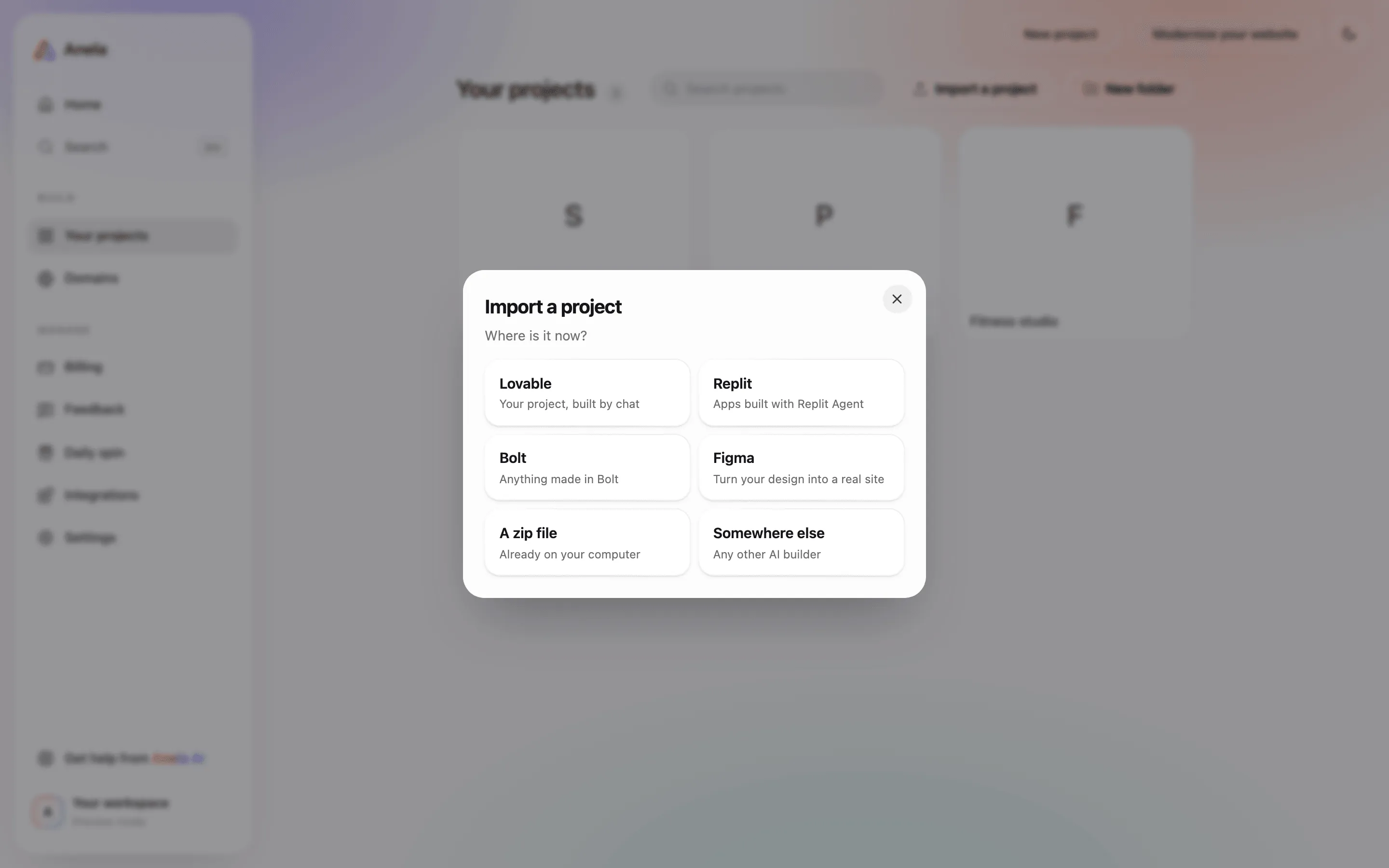
Where it is
Section titled “Where it is”On the dashboard, open Your projects and choose Import a project. It asks one question per screen: where the project comes from, then what to upload. Modernize your website, at the top of the dashboard, opens the same flow straight at the website-address step.
From Lovable, Replit or Bolt
Section titled “From Lovable, Replit or Bolt”Those platforms do not hand out a clean copy of your code by themselves, so Anela does it through their own agent:
- Choose the platform. Anela shows you a prompt.
- Paste that prompt into the chat of your project on that platform. It asks their agent to pack your code, configuration and database structure into a zip, leaving out secrets, database rows and the bulky
node_modulesfolder. - Download the zip it produces and upload it here.
The new project opens in the editor with Anela AI ready. Ask for changes as usual.
From a zip you already have
Section titled “From a zip you already have”If you have your source code as a zip, upload it directly. Leave out node_modules and build output; Anela AI installs what it needs. Zips up to 500 MB are accepted.
From Figma
Section titled “From Figma”Upload screens from Figma and Anela rebuilds them as a real, working site: the layout, the components and the text. Prototype links and interactions do not come over.
From a website address, or Modernize your website
Section titled “From a website address, or Modernize your website”Give Anela the address of a site you already run and it reads the whole site and rebuilds it with a modern design. Good for a site you inherited or one that has aged. Add a note about what you want kept or changed, and attach a logo or photos if you have better ones than the old site.
What comes over, and what does not
Section titled “What comes over, and what does not”Comes over: your code, styles and assets; configuration and dependencies; the database structure, when the export includes it.
Does not come over: the content of your database (your rows stay where they are); your users and their passwords; secrets and API keys, which you enter again in the Assets tab; custom domains and their DNS.
A zip in the chat
Section titled “A zip in the chat”If you attach a zip that looks like a whole website to a chat message, Anela asks whether you want to open Import and make it its own project, or attach it there to work with what is inside, such as copying a section or a style.
Verified against the product on 2026-09-15.